


Happ - Proxy Utility
4.4374.00 Reviews
App Specs
- Version
- 3.26.3
- Updated On
- License
- Free
- Downloads
- 10,000,000+
- Developer
- HappDev
- Categories
- Tools
- Platform
- Android
Screenshots


 Analysis by AppCompare
Slow public Wi-Fi, a connection that behaves differently from one network to another, and proxy settings that are awkward to manage can turn a simple phone task into a small troubleshooting session. That is the sort of friction a proxy utility should reduce. I’d judge Happ less by grand promises than by a practical question: can I get a connection configured without losing time, and does it behave predictably enough that I don’t have to keep checking it?
That focus makes Happ - Proxy Utility most interesting to people who already have a reason to use proxy connections and want a phone-friendly way to handle them. It is a free tools app from HappDev, with a 4.1 average from around 35,000 ratings and more than 10 million installs. Those figures suggest broad use, but they don’t guarantee that every server, network, or personal setup will work equally well. I would treat the app as a practical connection tool, not a substitute for understanding what service or configuration I’m connecting to.
Where the everyday hassle shows up
Proxy settings are easy to ignore when everything works and surprisingly annoying when they do not. A person might need a particular connection for work, want to test whether a network route is causing a problem, or simply be tired of digging through system menus whenever they switch networks. In those situations, the useful outcome is not a flashy dashboard; it is spending less time getting connected and more time doing the task that brought me online.
That is also why I would separate convenience from privacy claims. A proxy changes how a connection is routed, but using a proxy does not automatically make every activity private or secure. I’d pay attention to which service or server I select and avoid treating a successful connection as proof that all traffic is protected. The app’s “Advanced” positioning is not a reason to skip basic care with sensitive accounts or unfamiliar networks.
Setting Up the App: Quick and Painless
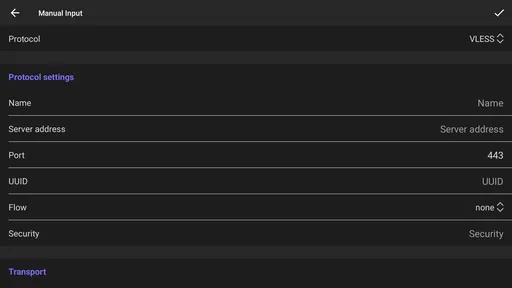
Getting started with Happ - Proxy Utility is a breeze. You just head over to the Play Store or App Store, depending on your device, and hit download. Once installed, the app guides you through a straightforward setup process. It asks for permissions, which, let's be real, is pretty standard for any app that needs to mess with your network settings.
What I loved right off the bat was how user-friendly the interface is. No confusing jargon or unnecessary steps. It's just a simple tap-to-connect setup. You select the server you want to connect to, and you're good to go. The app even suggests the best server based on your location, which is a nice touch.
Make the first connection a small test
I wouldn’t make the first session the moment I need uninterrupted access for a call, upload, or work deadline. I’d connect while I have a few minutes, try the sites or apps I actually use, and note whether anything behaves differently. That simple rehearsal helps separate an app setup issue from a network-specific problem, and it gives me a sensible starting point before relying on the connection away from home.
Worth Reading Before You Choose

Baby Panda World Brings Quick Play to Modern Phones, but Its Game Library Feels Busy

ESPN’s Live Game View Makes Following Close Games Easier

QuizzLand Review: A Good Fit for Short Trivia Breaks, Not Every Player

Basketball Stars: Multiplayer Is Fast, but Can It Recover When Matches Go Wrong?

WEBTOON Turns Phone Updates Into a Better Reading Routine

Link to Windows Runs on Shared Habits, Not Social Feeds
It is also worth checking what “working” means for your own routine. If you only need a proxy for one activity, test that activity rather than assuming every app on the phone will behave the same way. If you switch between home Wi-Fi, mobile data, and public Wi-Fi, check the connection after each change. A setup that works on one network may not be the one you want on another, so a quick check can prevent a longer interruption later.
Features that Stand Out
Now, let's talk features. Happ - Proxy Utility offers a range of servers from different countries. This is a game-changer if you’re trying to access region-specific content or simply want to keep your browsing private. The speed test feature is particularly handy, allowing you to check the connection speed of each server before you commit.
Another feature I found super useful is the kill switch. If the VPN connection drops, the app automatically disconnects your device from the internet to ensure your data isn’t exposed. It’s like having an extra layer of security on standby.
Choosing a server with a purpose
A country list is most useful when I treat it as a set of options to compare, not a promise that one location will unlock everything or be fastest for every job. For ordinary browsing, I’d begin with the app’s suggested server and change it only if a page loads slowly or a service fails. If I’m checking regional availability, I’d select a relevant location and test the exact site I care about rather than assuming that a server label alone settles the question.
The speed test can help make that choice less random, but I’d use it as a snapshot rather than a guarantee. Network congestion and the quality of the connection I’m starting from can change the experience. A practical tip is to compare only a couple of plausible options, then stick with the one that works for the task. Repeatedly hopping between servers can cost more time than it saves, especially when the original connection was already adequate.
Performance: Does It Walk the Talk?
Alright, so it’s got the features, but how does it perform? In my experience, the connection was pretty stable. I didn’t experience any major slowdowns, which is crucial when you’re streaming or downloading large files. The app also runs quietly in the background without hogging too much battery, which is always a plus in my book.
That being said, there were a couple of instances where the connection dropped unexpectedly. However, reconnecting was quick, and the app seemed to recover without too much fuss.
A routine that saves time without hiding risk
For a realistic everyday test, imagine arriving at a café with a few messages to send and a document to review. I’d connect before opening the document, check that the connection is active, and then use the services I need. If the connection drops, I’d pause anything sensitive until it reconnects rather than assume the interruption is invisible. That small habit matters more than tapping connect and forgetting about it, particularly when the point of the tool is to control how traffic is routed.
The kill switch is useful in that context, but I would still learn how it behaves in my own setup before depending on it. If maintaining internet access is more important than preventing traffic from continuing after a drop, an automatic block may interrupt what I’m doing. That is a real trade-off: a safety feature can reduce exposure while also making a weak or unstable connection more disruptive.
Interface: Simplicity at Its Best
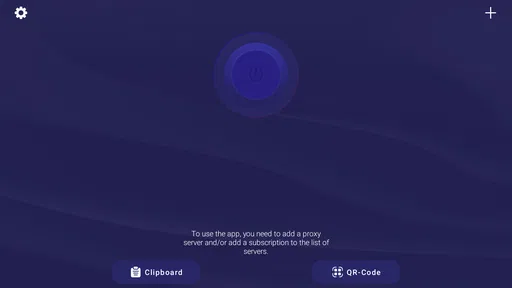
The interface is sleek and modern, with a minimalist design that even tech novices would appreciate. The main dashboard gives you a clear view of your connection status and server options. What’s more, the app provides helpful tips and tricks for optimizing your browsing experience.
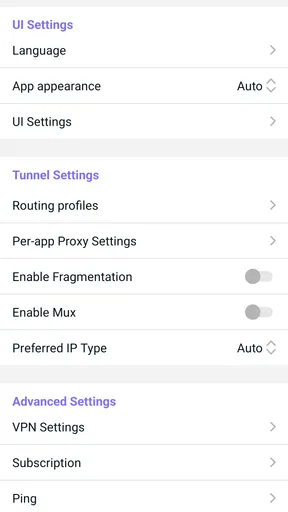
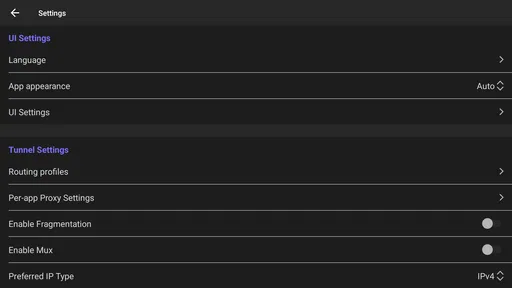
Navigation is intuitive, and I didn’t find myself fumbling around trying to figure out where everything was. The settings menu offers customization options for those who like to tweak their connectivity settings, but it’s not overwhelming.
Who benefits from a dedicated utility
I can see this being a good fit for someone who regularly manages proxy connections on a phone and values a clear server-selection flow over a pile of advanced terminology. It may also suit a curious user who wants to compare routes for a specific browsing task, provided they are willing to test the result rather than assume that a location choice guarantees access or privacy. The Everyone age rating makes it broadly accessible, but the decisions involved still call for common sense around accounts and sensitive information.
On the other hand, if you only need a one-time connection for a task that has its own trusted, built-in option, installing a separate utility may add more steps than it removes. People who need a highly specific workplace setup should follow their organization’s instructions instead of guessing at settings. And if your main priority is a clearly explained privacy policy or a particular security assurance, I would compare services on those terms before relying on any proxy app.
How it compares with the usual alternatives
The usual alternative is to manage connection settings manually or use a general VPN app that emphasizes an all-purpose connect button. Manual setup can be enough for someone who rarely changes configurations and already knows exactly what to enter; it may be preferable when precise control matters more than convenience. A dedicated utility is more appealing when selecting and checking servers is part of the routine and I want that process gathered in one place.
Neither approach is automatically better. A simpler VPN app may be easier for a person who wants minimal decision-making, while a proxy-focused workflow is a better match for someone who wants to choose among locations and assess a connection before using it. I would choose based on the job, not on the assumption that more server choices always mean better speed or stronger protection.
Small checks that prevent avoidable frustration
When a page fails, I’d first check whether the connection itself is active, then try a different server only if the task calls for it. If the problem occurs on one Wi-Fi network but not another, that points me toward a network-specific issue rather than a reason to keep changing settings blindly. Keeping a mental note of the server that worked for a particular routine can also save time on the next visit, without turning every session into a fresh experiment.
For streaming or large downloads, I would test the actual service and file before planning around it. A speed check is useful for comparing options, but it cannot promise that a service will accept a route or that performance will stay constant. For sensitive browsing, I’d be even more cautious: use the connection only when I understand the service behind it, and remember that a proxy is one part of a security routine, not the whole routine.
Overall Experience: Is It Worth It?
So, after spending some quality time with Happ - Proxy Utility, I can say that it delivers on its promise of improving browsing speed and security. It's not perfect—occasional connection drops can be annoying—but the benefits far outweigh the cons.
For anyone looking for a reliable VPN service that's easy to use and doesn’t break the bank, this app is worth considering. Plus, with its robust security features and wide range of servers, it’s a solid choice for both everyday users and privacy enthusiasts.
If you’re ready to give it a shot, check it out on the Play Store or App Store and see how it fits into your digital life. Happy browsing!
What to expect before making it a habit
The app is free, and its current version is 3.21.1; it runs on Android 5.0 or later. It was released on January 21, 2025, and the store’s age classification is Everyone. Those details make it easy to assess basic compatibility, but they don’t change the main decision: whether a proxy workflow solves a recurring problem for you. I’d install it when I have a clear use for server selection, then judge it on the connections I actually make.
My verdict is practical rather than sweeping. Happ can remove fiddly steps for people who regularly handle proxy connections, and the server choices, speed checks, and kill switch give me useful controls to test. It is less compelling for someone who rarely needs a proxy, expects every connection to be uninterrupted, or wants a tool to make privacy decisions on their behalf. If it saves you repeated setup time and works with your everyday services, it earns a place on your phone; if you keep troubleshooting it or don’t need its controls, a simpler option is the better choice.
Pros
- User-friendly interface
- easy to navigate.
- Fast connection speeds for efficient browsing.
- Supports multiple proxy locations worldwide.
- Enhances online privacy with strong encryption.
- No noticeable lag or slowdown during use.
Cons
- Occasional connection drops can occur.
- Limited free version features available.
- Ads can be intrusive in the free version.
- May not work with all streaming services.
- Some users report occasional setup issues.
FAQs for Happ - Proxy Utility
What is Happ - Proxy Utility and how does it work?
Happ - Proxy Utility is an app designed to enhance your online privacy by routing your internet connection through a proxy server. This helps mask your IP address, providing anonymity and potentially accessing geo-restricted content. Once installed, you can select from a list of proxy servers and connect with a single tap.
Is Happ - Proxy Utility free to use, or does it require a subscription?
Happ - Proxy Utility offers both a free version and a premium subscription. The free version provides limited access to proxy servers and bandwidth, while the premium subscription unlocks additional features, faster connection speeds, and more server locations. Users can choose the option that best suits their needs.
What platforms is Happ - Proxy Utility available on?
Happ - Proxy Utility is available for download on both Android and iOS devices. This ensures compatibility with a wide range of smartphones and tablets, allowing users to benefit from enhanced privacy and security on their preferred platform. Check the Google Play Store or Apple App Store for download options.
How does Happ - Proxy Utility ensure user privacy and security?
Happ - Proxy Utility employs robust encryption protocols to secure your online data and protect it from potential hackers and trackers. By masking your IP address, it enhances your online anonymity. The app also adheres to strict privacy policies, ensuring user data is not logged or shared without consent.
Can Happ - Proxy Utility be used to access geo-restricted content?
Yes, Happ - Proxy Utility can help users bypass geographical restrictions by connecting to proxy servers located in different countries. This allows you to access content that might be unavailable in your region. However, users should ensure compliance with the terms of service of the content providers they access.


